Publishing with GitHub Actions
Lunet provides an official GitHub Action - lunet-io/actions/lunet-build - that builds your site and deploys it to GitHub Pages in a single step. No manual build scripts, no separate CI configuration - just add a workflow file and push.
Enable GitHub Pages
Before the workflow can deploy, you must activate GitHub Pages in your repository settings:
- Go to Settings → Pages in your GitHub repository.
- Under Build and deployment → Source, select GitHub Actions.
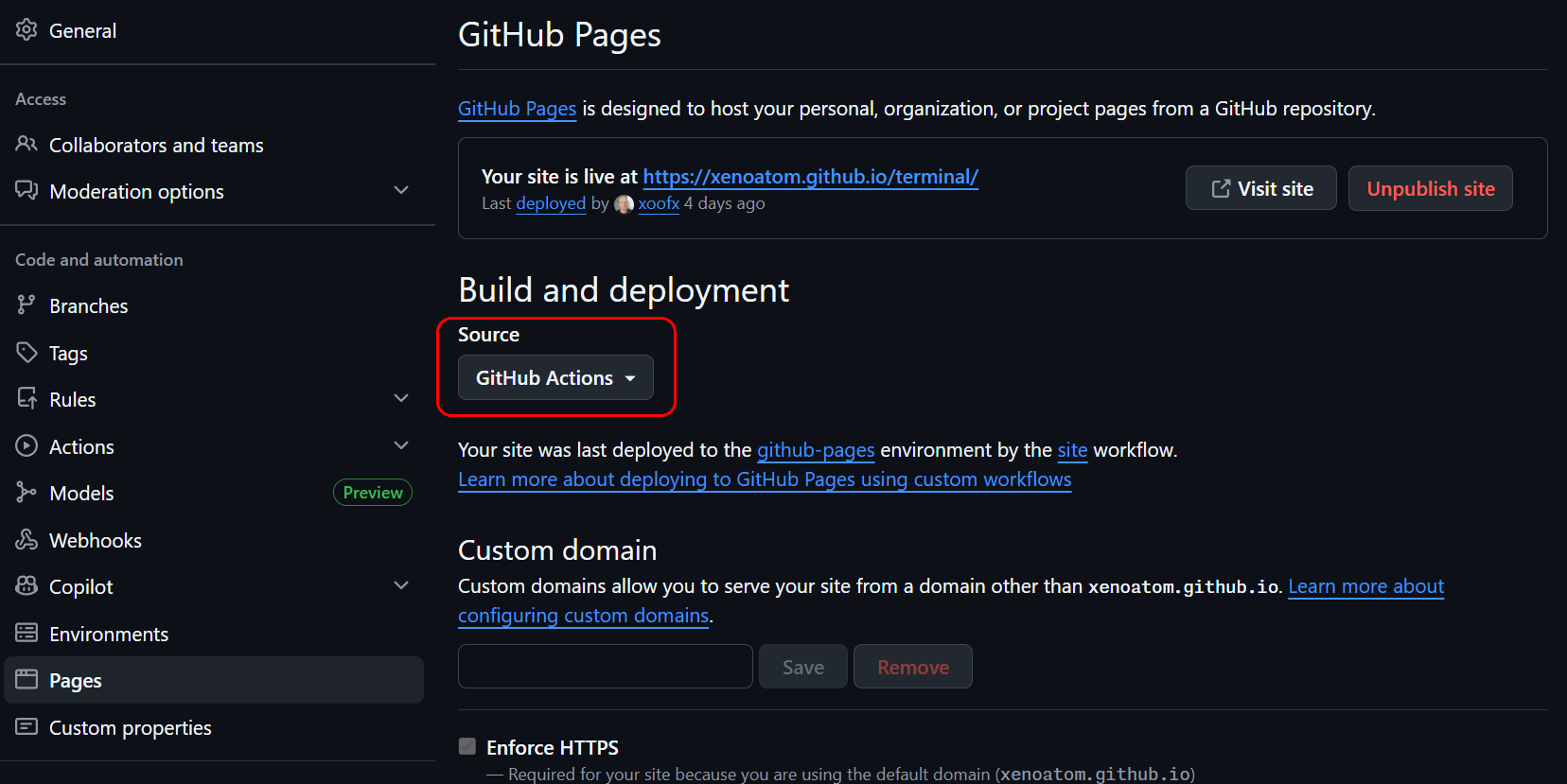
That's it. GitHub will now accept deployments from workflow runs instead of requiring a dedicated branch.
Add the workflow
Create .github/workflows/site.yml in your repository:
name: site

on:
  push:
    branches: [main]
  workflow_dispatch:

permissions:
  contents: read
  pages: write
  id-token: write

jobs:
  site:
    runs-on: ubuntu-latest
    environment:
      name: github-pages
      url: ${{ steps.lunet.outputs.page_url }}
    steps:
      - id: lunet
        name: Build and deploy Lunet site
        uses: lunet-io/actions/lunet-build@v1
Push this file to main and your site will be built and published automatically.
What the action does
Behind the scenes, lunet-build runs these steps:
- Checks out your repository (with submodules by default).
- Installs the .NET SDK and the
lunettool. - Builds the site by running
lunet buildin yoursite/folder. - Uploads the output (
.lunet/build/www/) as a GitHub Pages artifact. - Deploys the artifact to GitHub Pages.
The deployed URL is available as the page_url output.
Common options
Custom site path
If your site lives in a folder other than site/:
- uses: lunet-io/actions/lunet-build@v1
  with:
    site_path: docs
Build another repository
You can build a site from a different repository (useful for organization-level Pages sites):
- uses: lunet-io/actions/lunet-build@v1
  with:
    repository: my-org/my-other-repo
    site_path: site
Build only (no deploy)
To upload the Pages artifact without deploying - for example, to add an approval step:
- uses: lunet-io/actions/lunet-build@v1
  with:
    deploy_pages: false
Custom build command
- uses: lunet-io/actions/lunet-build@v1
  with:
    build_command: "lunet --stacktrace build"
Custom domain
To serve your site under a custom domain (e.g. example.com):
Follow the GitHub Pages custom domain guide.
Set
baseurlin yourconfig.scribanto match:site_project_baseurl = "https://example.com"
The action handles the rest - no CNAME file is needed in the build output.
All inputs
| Input | Default | Description |
|---|---|---|
repository |
current repo | Repository to checkout (owner/name) |
ref |
default branch | Git ref (branch, tag, or SHA) |
token |
github.token |
Token for checkout |
checkout_path |
source |
Checkout directory |
submodules |
recursive |
Submodule checkout mode |
fetch_depth |
0 |
Fetch depth |
dotnet_version |
10.0.x |
.NET SDK version |
lunet_version |
(latest) | Lunet tool version range |
site_path |
site |
Site folder inside the repo |
build_command |
lunet build |
Build command |
output_path |
.lunet/build/www |
Output folder (relative to site_path) |
setup_pages |
true |
Run actions/configure-pages |
upload_pages_artifact |
true |
Upload output as Pages artifact |
deploy_pages |
true |
Deploy to GitHub Pages |
See also
- Getting started - install Lunet and create your first site
- CLI reference -
build,serve, and other commands lunet-io/actionson GitHub - action source and changelog